A lease is the document that ties a tenant to a unit on agreed terms. ProperLease generates the right form for where your property sits, fills in the details you enter, and gives you a signable PDF. This page covers creating a lease, which jurisdictions are supported, setting the terms, sharing the PDF, and renewing when the term ends.
Create a lease
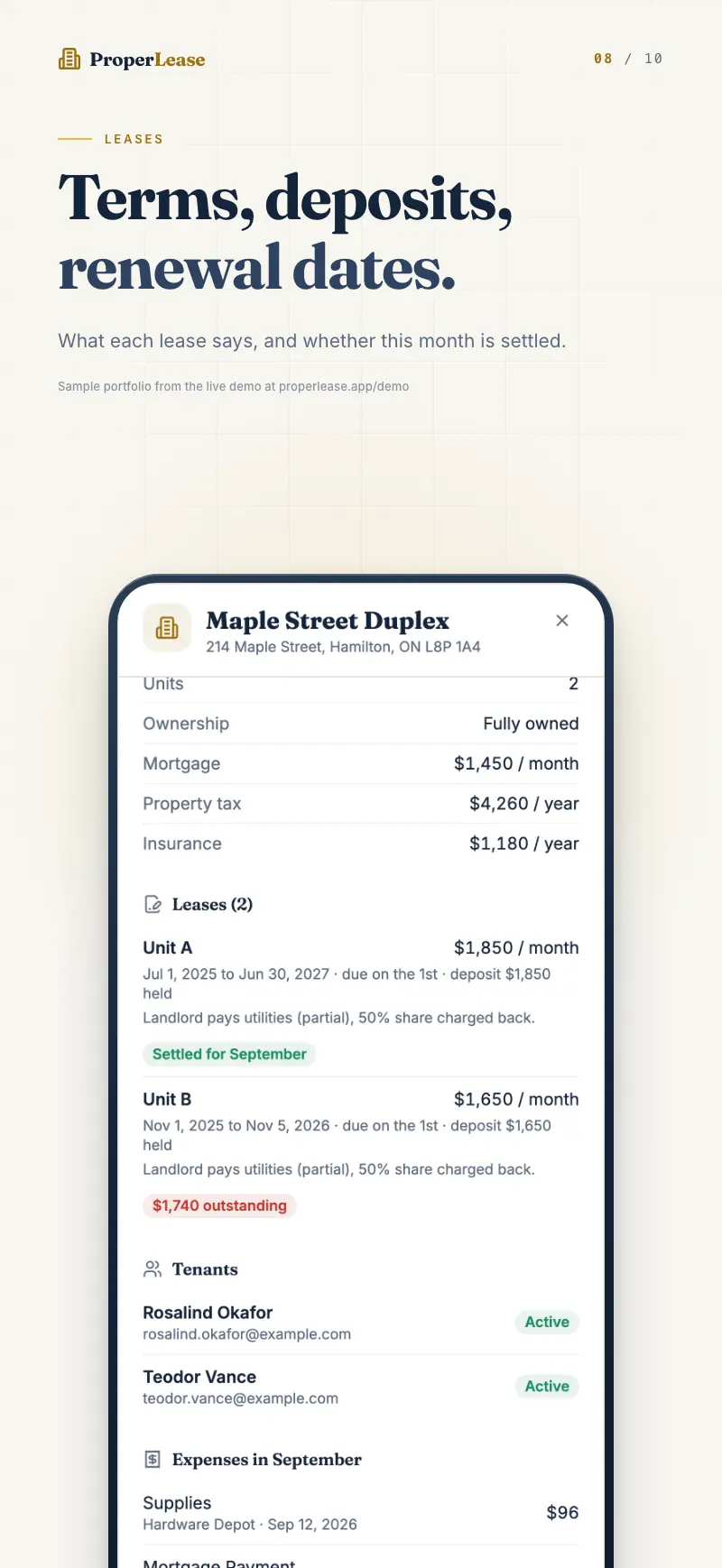
Open Leases and start a new lease. ProperLease selects the correct document based on the property location, then asks for the terms:
- Choose the tenant and unit the lease covers.
- Set the monthly rent.
- Set the term start and term end dates.
- Enter the deposit you are collecting and holding.
Generate the lease, and ProperLease produces a completed PDF ready to download and sign.
Jurisdiction coverage
ProperLease uses the official form or an attorney reviewed agreement for your area:
- Ontario: the standard lease, form 2229E.
- British Columbia: the Residential Tenancy Agreement, RTB-1.
- Quebec: the mandatory lease (Bail).
- United States: attorney reviewed residential leases for 45 states.
A handful of US jurisdictions, including California, New York, New Jersey, Massachusetts, DC, and Oregon, are on the roadmap but not shipped yet. If your property is in one of these, the lease document for that state is not available in the app today.
Setting rent, term, and deposit
- Rent is the monthly amount the lease commits the tenant to. It should match the monthly rent on the tenant record so payment comparisons line up.
- Term start and end define the lease period. ProperLease uses these dates to surface renewals and expiries before they lapse.
- Deposit is the amount you are holding. It is tracked separately from rent so you always know what you owe back at move out. See Hold and return security deposits for how deposits are recorded and returned.
Download and share the PDF
The finished lease is a downloadable PDF. Download it, add signatures, and share a copy with your tenant. Because the tenant email is on file, you can send documents straight to the address you already have. Keep a signed copy on the lease record so your paperwork and your data stay in one place.
Renew a lease
When a term is ending, you do not start from scratch. Renew the existing lease to carry the tenant and unit forward, then set the new term dates and any rent change. Renewing keeps the history connected, so the tenant's full record of leases stays intact rather than scattered across separate documents.
If rent changes on renewal, update the monthly rent on the tenant record too, so future payment statuses compare against the new figure.
A word on legality
A generated form gives you a compliant starting point, but a lease still has to be filled in correctly and cover the terms your tenancy needs. For what belongs in a solid agreement, read what a legal lease must include.
Lease requirements vary by province and state, and forms are updated from time to time. This is general guidance, not legal advice. Confirm the current requirements for your jurisdiction.
Next steps
- Hold and return security deposits once the lease sets the amount.
- Record rent payments against the lease.
- Not added the tenant yet? Start with add and manage tenants.
Run your rentals with absolute clarity
ProperLease helps self-managing landlords in Canada and the US track rent, generate provincial and state leases, serve notices, and stay tax ready.