Rent collected is not profit. A property can bring in solid rent and still lose money once the mortgage, taxes, insurance, and utilities are paid. The Actual Cashflow view on each property detail shows the number that actually matters: what a door earns after its real carrying costs.
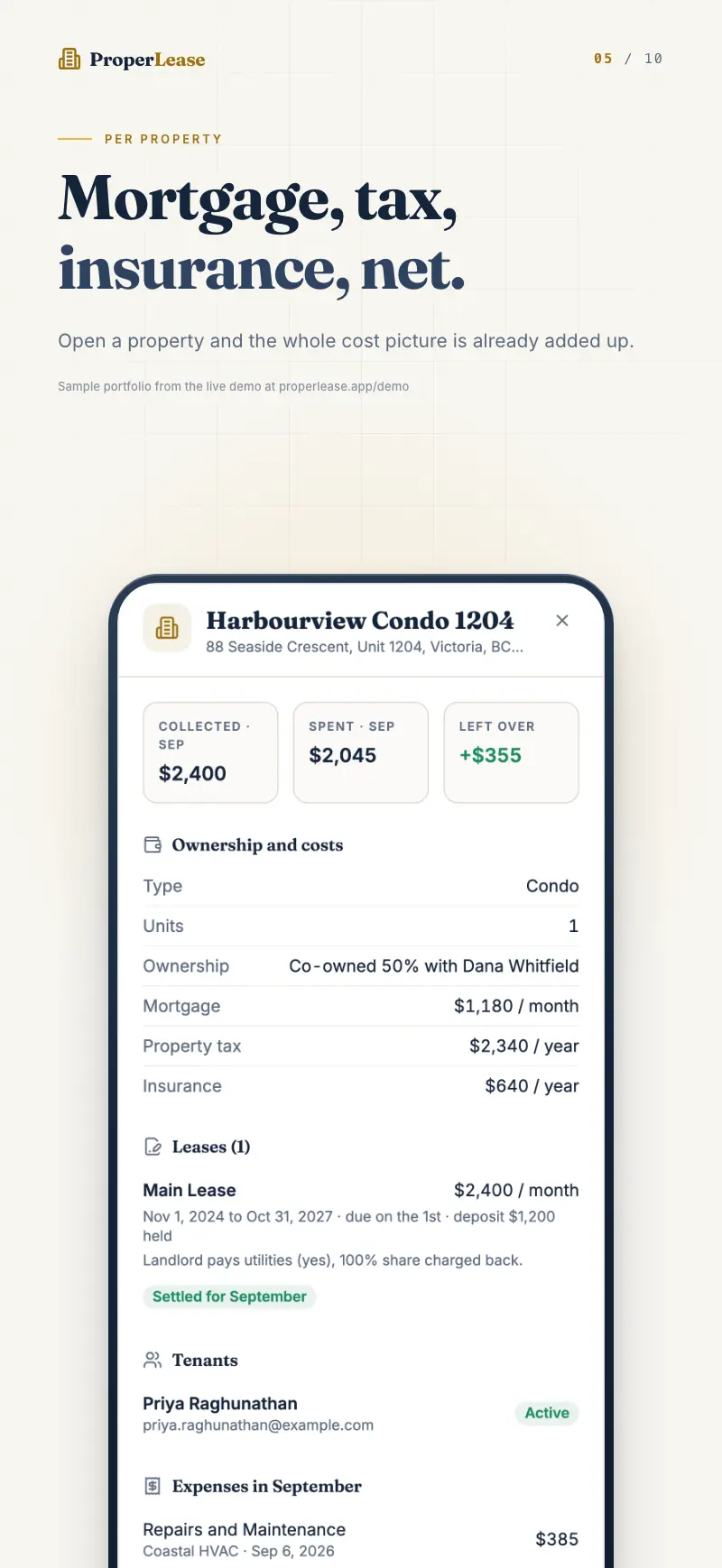
What Actual Cashflow measures
The view does one simple calculation and shows the result for the property you are looking at:
Income minus mortgage, property tax, insurance, and utilities.
- Income is the tenant payments recorded against the property in the time window you are viewing.
- Mortgage is your loan payment for the property.
- Property tax is spread across the window so a single annual bill does not distort one month.
- Insurance is your premium for the property.
- Utilities are the bills you cover, pulled from the utilities you track for the property.
The result is real cashflow: a positive number means the property put money in your pocket over that window, and a negative number means it cost you money to hold.
What to enter to enable it
Actual Cashflow appears once ProperLease knows your carrying costs. On the property form, fill in:
- Purchase date and price
- Mortgage payment
- Property tax
- Insurance
Utilities feed in automatically from anything you record under Utilities for the property, including who pays and what has been charged back to a tenant. Income feeds in automatically from the Payments you log. You do not enter cashflow anywhere; it is calculated from records you are already keeping.
If a property has no mortgage, tax, or insurance entered, there is nothing to subtract, so the Actual Cashflow view has nothing to show. Add those fields on the property form and it appears, populated from your existing payments and utilities.
Read it across time windows
Cashflow looks different over a month than over a year, so the view lets you switch the window:
| Window | Best for |
|---|---|
| This month | Checking whether the property is cashflow positive right now. |
| Last month | Reviewing a completed month once all rent is in. |
| 3 months | Smoothing out a one time repair or a lumpy tax payment. |
| 1 year | Seeing the true annual picture, the number that reflects real return. |
A single month can look bad because an annual insurance premium or a big repair happened to land in it. Switch to 3 months or 1 year before you conclude a property is underperforming. The longer window spreads one time costs across the income that pays for them.
Why this beats rent collected
Two properties can collect the same rent and tell completely different stories. One with a small mortgage and low taxes throws off cash every month. One with a large mortgage and high insurance can run at a loss even when it is fully rented and every tenant pays on time. Only real cashflow reveals the difference, and it is the number that tells you whether to hold, raise rent, or sell.
Related
- Enter the numbers that power this view in add and edit a property.
- See the collection side in read occupancy and property health.
- For the thinking behind it, read know your real cashflow.
Run your rentals with absolute clarity
ProperLease helps self-managing landlords in Canada and the US track rent, generate provincial and state leases, serve notices, and stay tax ready.