Recording rent is the single habit that keeps everything else in ProperLease accurate. The moment you log a payment, the tenant's status updates, the month is marked collected, and your cashflow numbers move. This page covers logging a payment, choosing the method, how it pairs to the tenant and lease, and how to read the This mo, Last mo, YTD, and All views.
Log a payment
When rent arrives, open Payments and log it in one tap:
- Choose the tenant who paid.
- Enter the amount.
- Set the date the payment was received.
- Choose the method: e transfer, bank transfer, ACH, or cash.
Save, and the payment is recorded. There is no separate reconciliation step; the entry is the record.
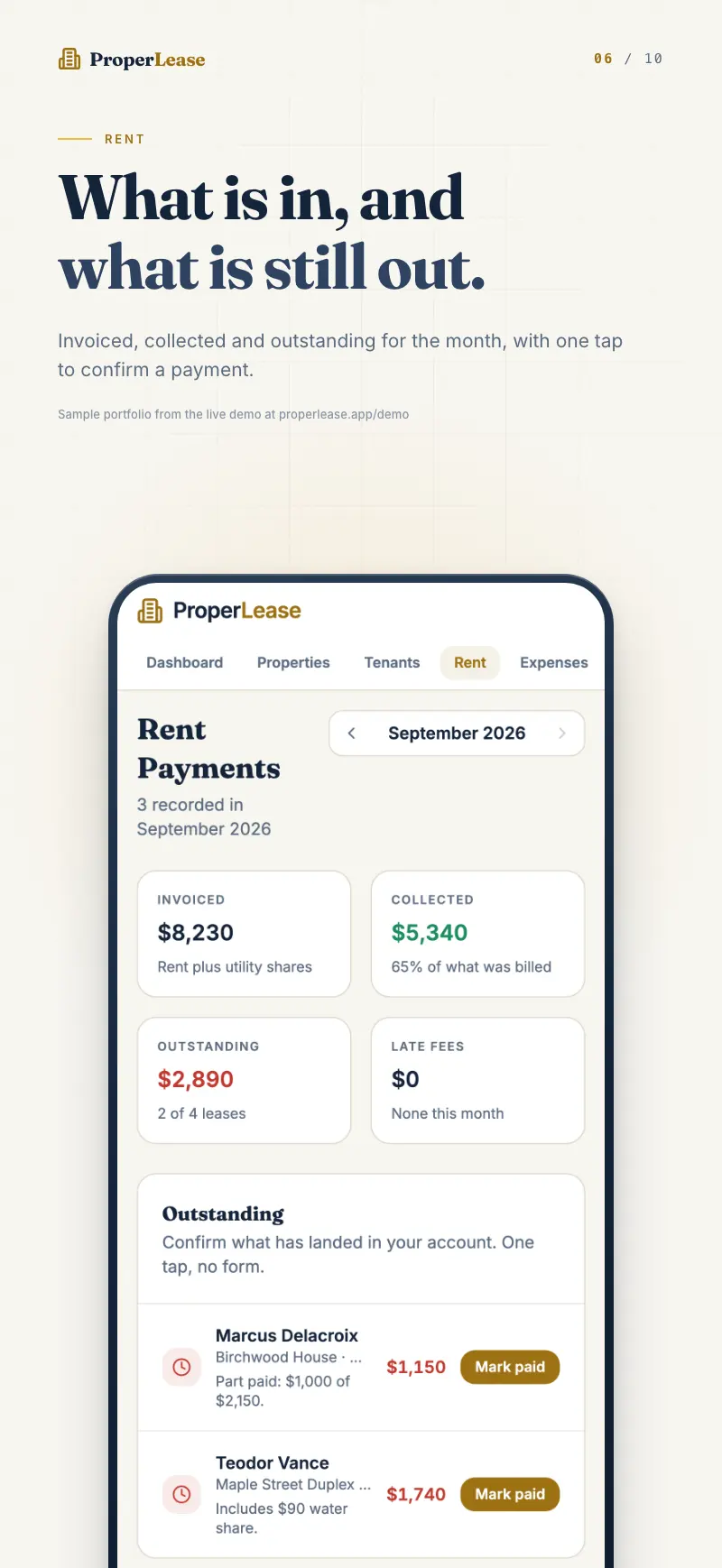
The fastest workflow is to record the payment the moment the e transfer or deposit clears. A few seconds then saves you a month end reconciliation later, and your tenant statuses stay honest in real time.
Choosing the method
The method you pick is stored with the payment so your records show how each rent came in:
- E transfer for Interac e transfers.
- Bank transfer for direct transfers between accounts.
- ACH for US bank debits.
- Cash for cash received in person.
Recording the method matters at tax time and in a dispute, because it shows not just that rent was paid but how.
How a payment pairs to tenant and lease
When you choose the tenant, ProperLease pairs the payment to that tenant and to their active lease automatically. You do not link anything by hand. This is what connects the records: the payment belongs to a tenant, the tenant to a lease, the lease to a property, and the property to your cashflow. Update one and everything downstream stays correct.
Pairing is also what lets ProperLease mark the month collected. Once a tenant's rent for the period is recorded, their status flips to Paid and the expected rent for that month is satisfied. If nothing is recorded past the due date, the tenant shows as Behind or Overdue instead. See add and manage tenants for how those statuses are derived.
Reading This mo, Last mo, YTD, and All
The Payments view can be filtered so you see exactly the window you care about:
| View | What it shows |
|---|---|
| This mo | Payments recorded in the current month. Your live collection picture. |
| Last mo | The previous month, useful for confirming everyone eventually paid. |
| YTD | Year to date total, the running figure for the calendar year. |
| All | The complete payment history across every tenant and period. |
Switching between these does not change your data; it just reframes it. This mo tells you who still owes for the current period, while YTD and All give you the totals you will lean on at tax time.
Build the habit
Rent collection works best as a system, not a scramble. Logging every payment the day it arrives, with the right method, is what makes the dashboard trustworthy and the year-end numbers correct. For a fuller approach to collecting rent reliably, read building a rent collection system.
Rules on rent, receipts, and acceptable payment methods vary by province and state. This is general guidance, not legal advice.
Next steps
- Handle late rent and reminders when a payment does not arrive on time.
- Bill utilities and chargebacks to recover costs you cover.
- Add and manage tenants so every payment has someone to pair to.
Run your rentals with absolute clarity
ProperLease helps self-managing landlords in Canada and the US track rent, generate provincial and state leases, serve notices, and stay tax ready.